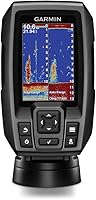
What Is CHIRP Down Imaging on a Fish Finder?
CHIRP Down Imaging combines CHIRP sonar processing with a detailed view beneath your boat, helping you read fish, bottom contours, and structure. It can make objects such as brush, rocks, and pilings easier to distinguish.
On this page (8 sections)
- What is CHIRP Down Imaging on a fish finder?
- How is CHIRP Down Imaging different from regular sonar?
- What can Down Imaging help you see?
- Does CHIRP Down Imaging show fish clearly?
- What affects a CHIRP Down Imaging display?
- Do you need GPS with CHIRP Down Imaging?
- Which fish finder features matter for Down Imaging?
- Is CHIRP Down Imaging worth choosing?
CHIRP Down Imaging combines CHIRP sonar processing with a detailed view beneath your boat, helping you read fish, bottom contours, and structure. It can make objects such as brush, rocks, and bridge pilings easier to distinguish.
The phrase describes two related parts of a fish finder's sonar. CHIRP refers to how the unit processes sonar signals, while Down Imaging is the view aimed below the boat.
What is CHIRP Down Imaging on a fish finder?
CHIRP Down Imaging is a below-boat sonar view processed with CHIRP technology. It helps you inspect underwater structure and bottom features, while other sonar views may help identify fish targets.
Down Imaging is useful when you want to look at a specific area below the transducer. The screen may show features such as timber, rocks, brush, or pilings with more visible shape than a basic depth reading.
CHIRP is short for Compressed High-Intensity Radiated Pulse. Instead of sending just one frequency at a time, CHIRP sonar sweeps across a range of frequencies.
How that translates to the screen depends on the fish finder and its transducer.
A unit may offer Down Imaging and a separate 2D sonar view. Look at both when available: the imaging view can help you read structure, while 2D sonar can help you interpret fish arches or target separation.
How is CHIRP Down Imaging different from regular sonar?
Down Imaging emphasizes a detailed picture of what lies below the transducer; 2D sonar emphasizes targets and depth in a scrolling view. The modes answer different questions, so having one doesn't make the other unnecessary.
A 2D sonar screen often displays fish as arches or marks. An imaging view can make the shape of cover and bottom features easier to inspect, which helps when you want to distinguish a rock or branch from a fish target.
Some fish finders combine both views. The Humminbird Helix 5 CHIRP DI GPS G3, for example, includes CHIRP Down Imaging and Dual Spectrum CHIRP sonar with Wide and Narrow modes.
For a closer look at how screens present sonar returns, read how to read a fish finder screen. If you're comparing basic depth readings with fish finding, fish finder or depth finder explains the difference.
What can Down Imaging help you see?
Down Imaging can help you inspect underwater structure, contours, and potential fish-holding cover below the boat. It doesn't identify every object for you, so use the display as information to interpret rather than a guaranteed label.
Look for changes in the bottom line, isolated objects, and areas where structure meets a different depth. Timber, brush, rocks, and bridge pilings are examples of features that may stand out in an imaging view.
A fish finder with Dual Beam sonar can also offer narrow and wide beam options. Humminbird describes the narrow beam as a way to see more detail and the wide beam as a way to cover a larger area.
The PiranhaMAX 4 DI pairs Down Imaging with Dual Beam sonar and a 4.3-inch color display. Its Fish ID+, fish alarms, depth alarms, and zoom are additional tools you can use while reading the screen.
The view depends on the transducer's position and the water conditions. Bubbles, boat movement, speed, depth, and settings can affect what appears on screen, so a feature's presence doesn't guarantee a perfectly clear image.
Does CHIRP Down Imaging show fish clearly?
It can show fish targets, but the display still requires interpretation. Use a separate CHIRP sonar view or a feature that overlays fish targets when you want more help distinguishing fish from weeds and structure.
For example, Lowrance's Eagle 5 SplitShot HD combines CHIRP fish targets with DownScan views of structure and bottom composition. Its FishReveal feature places fish targets on the DownScan image to make them easier to identify around weeds and structure.
Fish icons and alarms can be useful, but they don't replace learning to read the sonar display. If you want a broader overview of the types of sonar units and their uses, see types of fish finders.
What affects a CHIRP Down Imaging display?
The transducer, its installation, water conditions, and settings all affect the image. A well-matched unit still needs a clear sonar signal and a useful viewing setup.
Mount the transducer where it can stay in contact with the water and avoid excess turbulence, following the unit's instructions. Poor placement can cause interruptions or clutter, especially when the boat is moving.
Use settings that match what you are trying to see. A narrow beam may help focus on a smaller area, while a wider beam can cover more water; available controls differ by fish finder.
Screen size also affects how much detail you can comfortably inspect. A 4.3-inch display may suit a compact setup, while a 5-inch screen gives you more viewing area.
Consider how you will mount the display and where you'll sit or stand while fishing.
For a boat installation, where to mount a fish finder transducer covers placement considerations. Start with the manufacturer's mounting instructions for your exact transducer.
Do you need GPS with CHIRP Down Imaging?
GPS is optional for viewing Down Imaging, but it helps if you want navigation, charts, or saved locations. Decide whether you only need sonar or also want to mark a place to revisit.
The Helix 5 CHIRP DI GPS G3 includes internal GPS, Humminbird Basemap, and AutoChart Live. The manufacturer describes AutoChart Live as creating maps of depth contours, bottom hardness, and vegetation while boating.
A unit without GPS can still show sonar. If saving spots matters, compare the mapping and chart features as carefully as the sonar modes; chart coverage and compatibility vary by model.
Which fish finder features matter for Down Imaging?
Choose a unit with the sonar views, screen, and controls that fit your fishing setup. Check whether it includes a transducer and whether its display is practical for your console or boat.
If you mainly want a basic imaging view, the PiranhaMAX 4 DI includes Down Imaging, Dual Beam sonar, and a tilt-and-swivel mount. If you also want GPS and CHIRP 2D sonar, the Helix 5 adds those functions.
The Eagle 5 SplitShot HD combines CHIRP, DownScan, FishReveal, and C-MAP inland charts. That combination may suit anglers who want fish targets overlaid on a structure view and charting in one unit.
Confirm the transducer style and mounting hardware before choosing. The included transducer type and mount can affect what installation options you have.
Is CHIRP Down Imaging worth choosing?
Choose CHIRP Down Imaging if inspecting structure below the boat is a priority. Add GPS if you want to mark or map locations, and look for a combined 2D sonar view if identifying fish targets is also important.
The PiranhaMAX 4 DI is a straightforward option with Down Imaging and Dual Beam sonar. The Helix 5 CHIRP DI GPS G3 adds GPS and separate Dual Spectrum CHIRP sonar, while the Eagle 5 SplitShot HD combines DownScan with FishReveal and inland charts.
Before you decide what is CHIRP Down Imaging worth for your setup, compare the screen, transducer, and additional sonar modes you will use. For a wider overview, start with what a fish finder is used for.
Frequently asked questions
What is CHIRP Down Imaging?
CHIRP Down Imaging combines CHIRP sonar processing with an imaging view of the water and structure below the boat. It helps you examine features such as fish-holding cover and bottom shape, though the view depends on the transducer, conditions, and settings.
Is CHIRP Down Imaging the same as 2D sonar?
No. Down Imaging presents a detailed view beneath the boat, while 2D sonar commonly shows fish targets and depth in a scrolling view.
Some fish finders include both modes, letting you use one for target separation and the other to inspect structure.
Does CHIRP Down Imaging show fish?
It can show fish-like targets along with structure, but interpreting the display takes practice. Some units also combine fish targets with imaging, which can make targets easier to distinguish from weeds or cover; check which sonar views the specific unit supports.
Do you need GPS for Down Imaging?
No. GPS isn't required to display Down Imaging.
It can help you mark locations or use charts, so it's useful if you want to return to a productive area as well as inspect the bottom.