How to Find Fish With Side Imaging
Scan both sides of the boat at a steady speed, then use hard returns, shadows, and nearby cover to spot likely fish. Mark promising targets and circle back to check them with traditional sonar or another pass.
On this page (8 sections)
- How do you scan for fish with side imaging?
- What do fish look like on a side imaging screen?
- How do you find fish around cover?
- How should you use range and distance?
- Why do steady speed and a clean transducer matter?
- How do you confirm a side imaging target?
- What should you do when no fish appear?
- How to find fish with side imaging on your next trip
Here's how to find fish with side imaging: scan both sides of the boat at a steady speed, look for bright returns and their shadows, then mark likely targets for a closer pass. Side imaging helps you search broad areas and see how fish relate to cover, but a single mark doesn't confirm a catchable fish.
Start over open water or a familiar area so the screen is easier to learn. Keep your course and speed steady, note the depth and distance of likely targets, and check them with traditional sonar before casting.
How do you scan for fish with side imaging?
Move at a steady pace over the area you want to search. Side imaging builds a picture as the transducer passes over the water, so consistent movement makes returns easier to compare.
Begin with a manageable range on both sides. A wider range covers more water, while a shorter range gives more screen space to nearby details.
Follow your unit's manual for suitable speed and range settings.
Make straight passes over the edge of a point, weedline, channel, or other likely fish-holding area. If the screen shows a promising mark, save a waypoint or note its distance from the boat, then turn around for another pass.
Mounting and transducer position affect the image. See where to mount a fish finder transducer if you need to check placement before trying to interpret unclear returns.
What do fish look like on a side imaging screen?
A fish may show as a bright mark with a darker shadow beside it. The return and shadow together can help you judge that something is off the bottom, but they don't identify a species or guarantee that the mark is a fish.
Hard objects often create stronger returns than soft bottom. A shadow forms where the object blocks some of the sonar signal, so its length and direction can help you estimate how far an object rises from the bottom.
Look at the whole scene, not one spot. A cluster of marks near bait, a drop-off, or cover gives you more reason to investigate than an isolated mark over featureless bottom.
Learn how display colors, arches, and depth readings work in how to read a fish finder screen. Side imaging adds a view to either side of the boat, while traditional sonar can help you inspect what is directly below.
How can you tell a fish from a rock or branch?
Check the mark's shape, shadow, and surroundings together. A rock or branch may also create a bright return and shadow, so one feature alone is not enough.
A branch may connect visually to a larger tree or brush pile. A fish is more likely to appear as a separate mark, though fish can hold close to cover and blend into a busy screen.
Make a second pass from a different angle. If the mark changes position relative to the cover, that can help you decide whether it is a moving target or part of the structure.
How do you find fish around cover?
Scan the edges of cover first, then look for targets just outside it. Fish may sit beside a weedline, submerged timber, rocks, or a ledge rather than directly on top of the feature.
Keep the boat far enough away to pass the target without driving over it. Side imaging can show structure beyond the boat's path, which gives you a chance to locate likely fish before moving into casting range.
A clear image of cover can still be useful when no fish appear. Mark a promising feature, then revisit it when the conditions or time of day change.
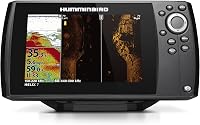
For a unit built to show returns to both sides of the boat, the Humminbird Helix 7 CHIRP SI GPS G4 includes CHIRP Side Imaging and internal GPS.
The unit also has CHIRP Down Imaging and Dual Spectrum CHIRP sonar for viewing below the boat. Its keypad controls access preloaded views through a menu system.
How should you use range and distance?
Use a shorter range to inspect nearby targets and a wider range to search more water. The right choice depends on whether you're looking for a specific piece of cover or scanning a broad stretch.
The screen usually places the boat's path near the center, with returns from each side extending outward. Check the unit's display guide to learn which side of the screen maps to port and starboard.
Keep notes on the range and depth when you save a waypoint. That makes it easier to return to the same area and compare what the display shows on another pass.
The best side imaging fish finders for reading cover guide can help you compare units with side imaging if your current screen doesn't give you the view you need.
Why do steady speed and a clean transducer matter?
A steady boat path helps produce a more even image. Sudden turns, changing speed, or a transducer disturbed by turbulence can make returns harder to compare.
Avoid sharp turns while the unit is drawing the area. If the image looks smeared or uneven, repeat the pass at a steady speed and check that the transducer is installed as directed by its manufacturer.
The Garmin Striker 7SV includes traditional CHIRP sonar plus ClearVü and SideVü scanning sonar. Its built-in GPS can mark waypoints and create routes.
The unit also includes Quickdraw Contours mapping software and built-in Wi-Fi for access to the ActiveCaptain app. Review the transducer mounting instructions before adjusting its position.
How do you confirm a side imaging target?
Circle back over a likely target and inspect it with another view. Traditional sonar or a second side imaging pass can help you decide whether the mark is a fish, cover, or another object.
Save the target before turning so you can return to its location. Approach from a different direction and keep the boat's speed steady while you compare the screen.
If the target is close to the boat's path, traditional sonar can show what lies beneath the transducer. If it's farther off to one side, adjust your route so the next pass carries the transducer near the mark.
The Garmin Striker Plus 9SV combines traditional CHIRP sonar with ClearVü and SideVü scanning sonar on a 9-inch display. It has built-in GPS for marking waypoints and creating routes.
Garmin says the Striker series is a fish finder rather than a chartplotter and fish finder combination, and it does not accept mapping software. Consider that distinction if you need chart navigation along with sonar.
What should you do when no fish appear?
Treat an empty screen as a reason to change the search area or pass, not proof that the water has no fish. Fish can be scattered, hidden in cover, or outside the range you're scanning.
Try a nearby depth change, the other side of a weedline, or a different angle across the same structure. Check that the unit is set to show a useful range and that your transducer is operating as intended.
Use traditional sonar to look below the boat after you find likely habitat. For a broader overview of sonar views, read what CHIRP Down Imaging is.
How to find fish with side imaging on your next trip
To find fish with side imaging, scan likely habitat steadily, read returns with their shadows, and save targets before circling back. Use a wider range to search, then narrow your focus and confirm promising marks with another pass or traditional sonar.
Pick a unit with side imaging and GPS if you want to scan beside the boat and save locations. If you mainly need help understanding the display, start with types of fish finders and choose the view that fits where you fish.
Frequently asked questions
What does a fish look like on side imaging?
A fish may appear as a bright mark beside a darker shadow, but size, distance, settings, and movement affect its shape. Look for several clues together, such as a mark near cover or bait, then make another pass or use traditional sonar to check.
Which side of the boat does side imaging show?
Side imaging shows sonar returns to the left and right of the boat, with the exact range depending on the unit and settings. The display commonly places the boat's path in the center, so learn which side of the screen represents each side of your boat.
Do you need to be moving to use side imaging?
Side imaging works best while the boat moves steadily, because the unit builds a picture as the transducer passes over an area. Very slow movement can stretch returns, while fast or uneven movement can make details harder to interpret.
Can side imaging identify fish species?
Side imaging can show likely fish targets and their relation to cover, but it does not identify a species by itself. Use local knowledge, depth, season, bait, and a closer look with traditional sonar to decide what the target may be.